See it in action
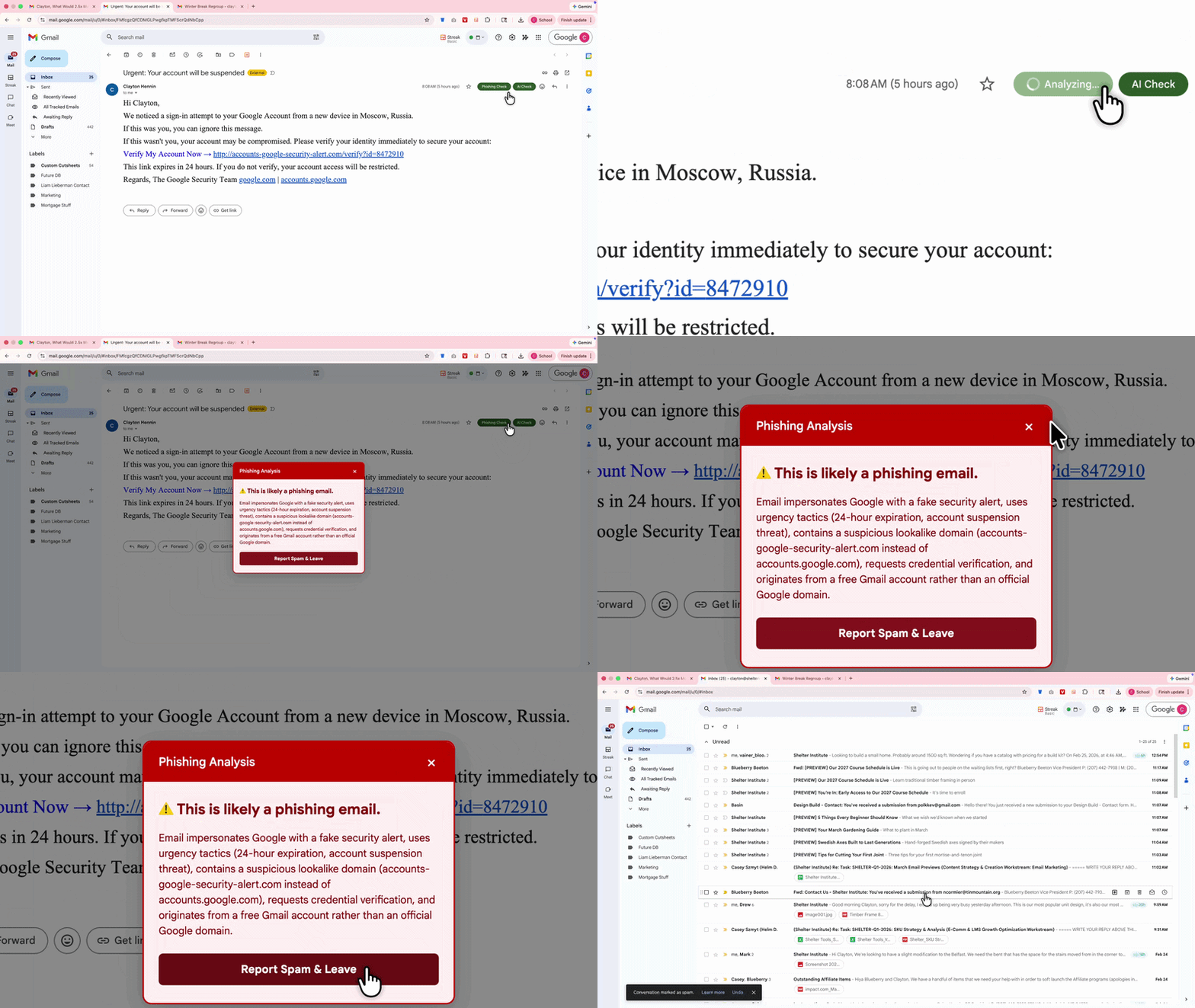
⚠️ Phishing Detected
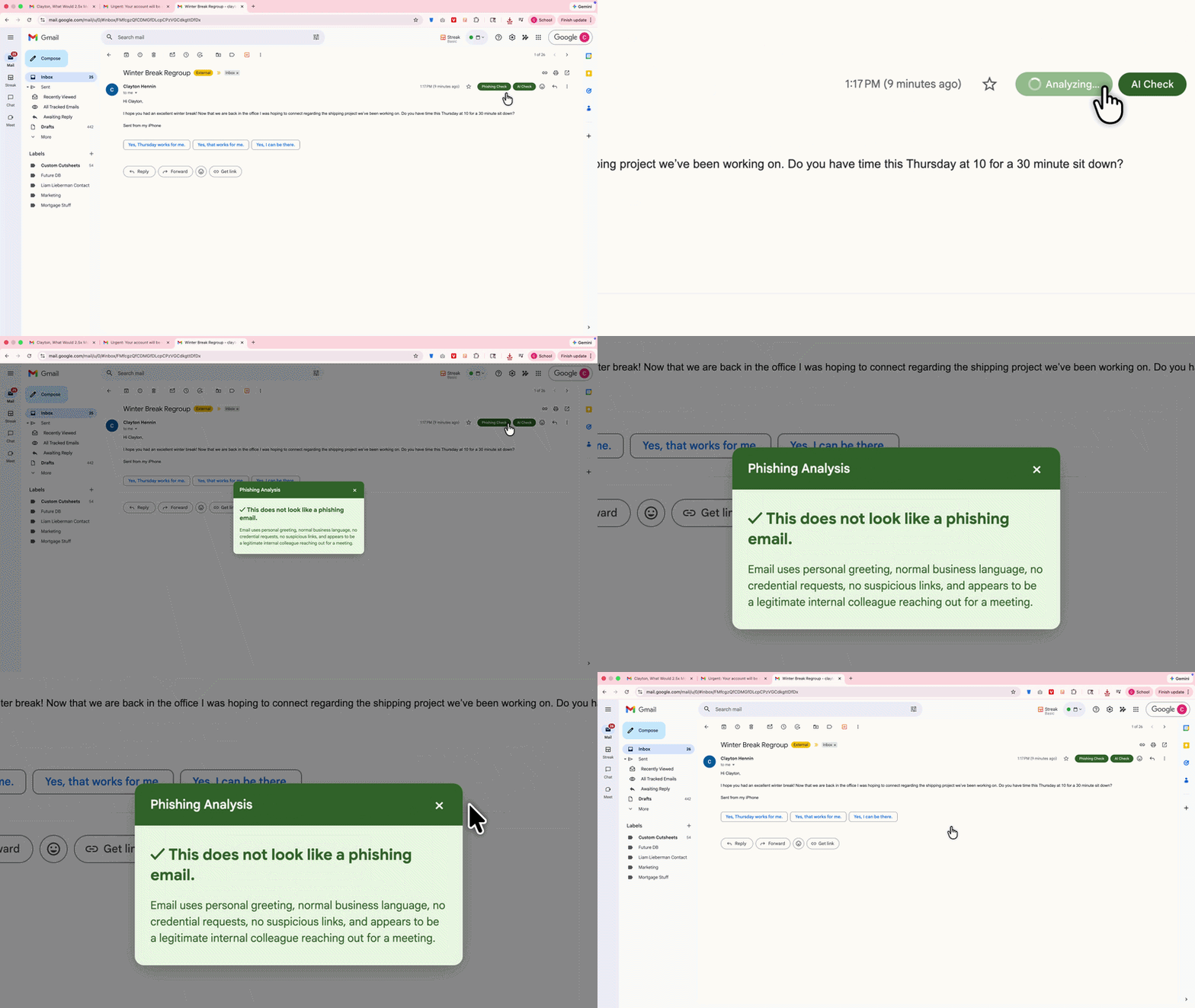
✅ Email Looks Safe
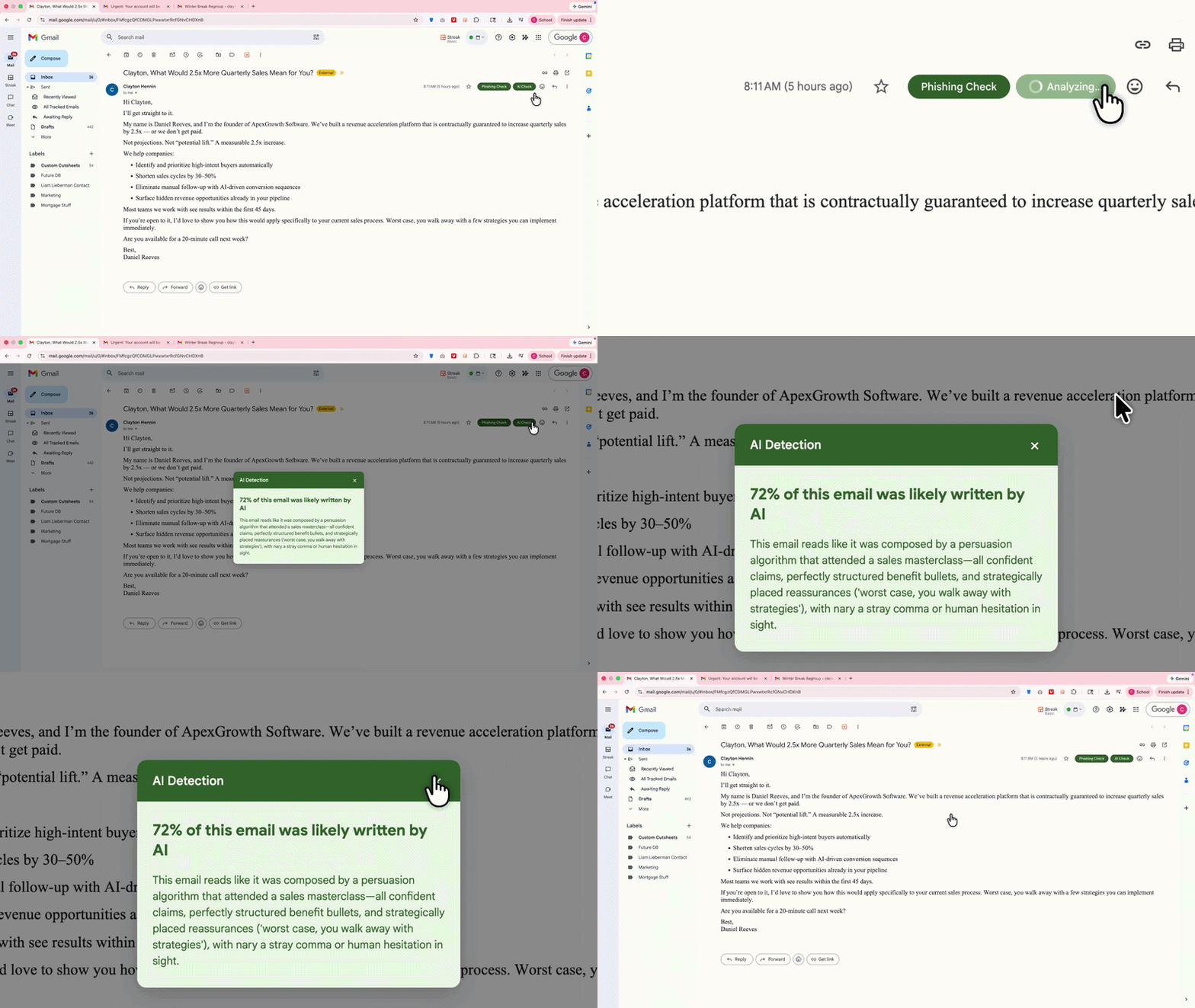
🤖 AI-Written Email Flagged
✉️ Human-Written Email
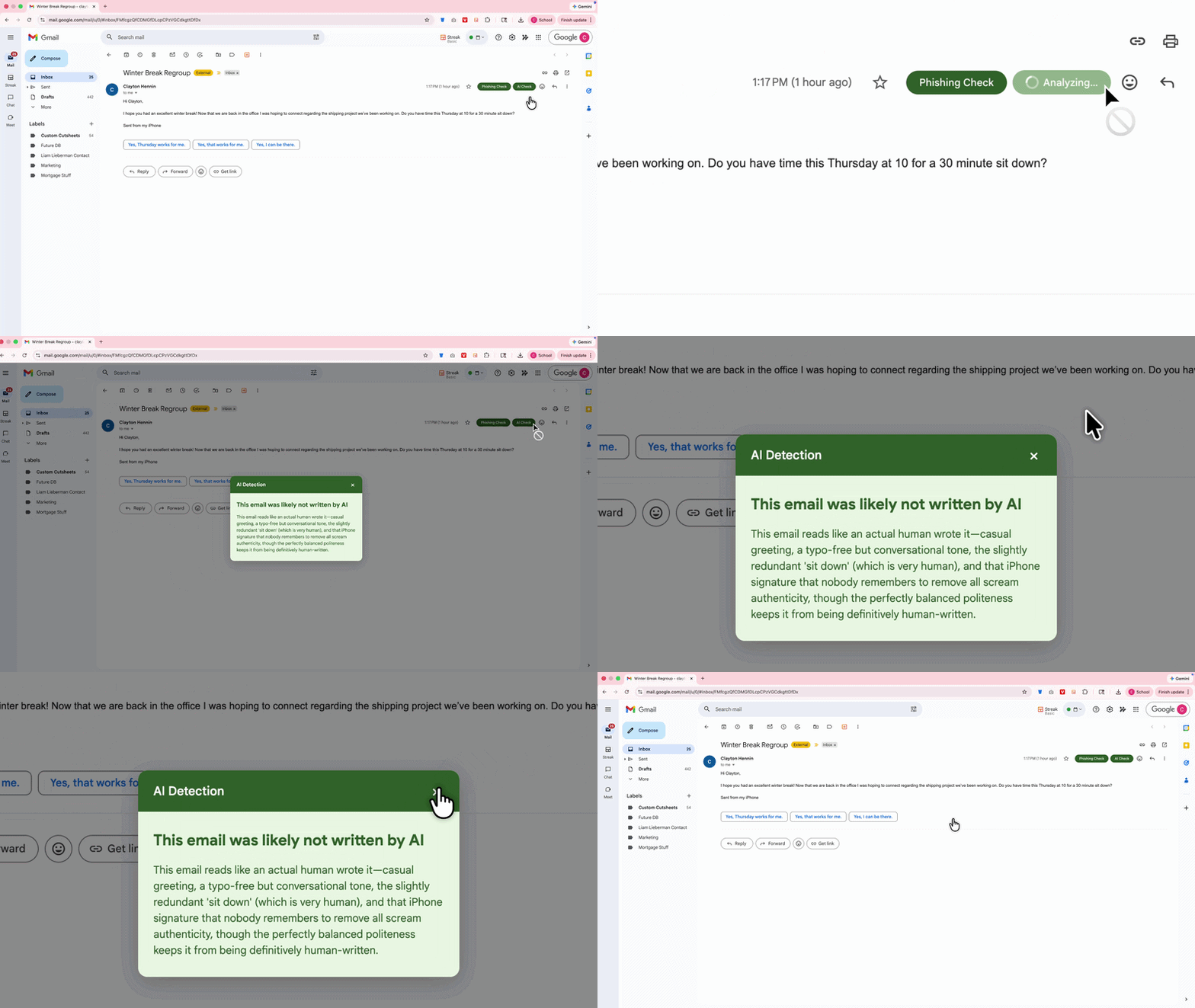
MailLens scans emails for phishing attacks and AI-generated content — instantly, inside Gmail. One click. Instant answer. No setup required.
Get MailLens Free — Add to ChromeFree forever • No credit card required • 30 checks/month included
Hit the "Add to Chrome" button at the top of this page.
A small popup will appear. Click the blue "Add Extension" button and you're done installing.
Go to Gmail, open any email, and you'll see two new buttons in the top right corner of the email. That's MailLens.
No account needed to get started. Free forever for 30 checks per month.

Hi, I'm Clayton and I built MailLens. I'm a real person — not a faceless tech company. I like to timber frame in my free time, as you can see in the photo above. If you ever have a problem with this extension, call me directly at 207-751-9620 and I'll help fix it. I hope you find it as useful as I do.
We will never email you, sell your data, or pester you in any way. Our sole focus is the safety of your inbox.
Install free, then upgrade to Pro from inside the extension.
Does MailLens read all my emails?
No. MailLens only analyzes the specific email you click on. It never scans your inbox, reads emails in the background, or accesses anything you haven't explicitly chosen to check.
How accurate is it?
MailLens is powered by Claude AI, one of the most advanced AI models available. It analyzes sender domains, email structure, and language patterns. No tool is 100% accurate — MailLens is designed to assist your judgment, not replace it.
Will it slow down Gmail?
No. MailLens runs only when you click a button. It does not run in the background, monitor your inbox, or affect Gmail's performance in any way.
Can I cancel anytime?
Yes. No contracts, no commitments. Cancel your Pro subscription in seconds from the extension or your billing portal. You keep access through the end of your billing period.
Does it work on mobile?
MailLens works in Chrome on desktop and laptop computers. It does not currently work in mobile Gmail apps.